
Website metrics, in your browser
Track any number.See every change.
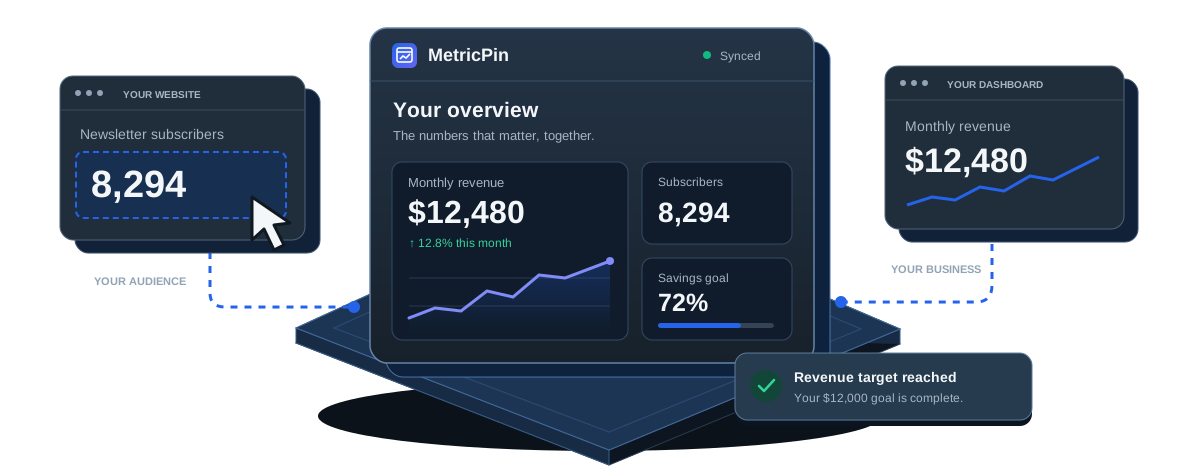
Bring revenue, subscribers, balances, and more into one dashboard. Pick a number on a webpage. MetricPin keeps its history in view.
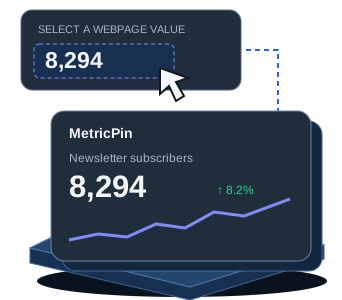
Bring revenue, subscribers, balances, and more into one dashboard. Pick a webpage value and follow its progress.
Visual setup · Automatic refresh · No API integration
Install in Chrome on your computer.
A home for the numbers you care about
- Revenue & sales
- Audience growth
- Account balances
- Personal goals
From webpage to big picture
From webpage to dashboard in three steps.
Your numbers already live on the web. Give them a place to come together.
01
Select a number
Open a webpage and click the number you want to follow with the visual picker.
02
Make it yours
Give it a name, choose a category, and set how often it should refresh.
03
Watch the story unfold
See the latest value, follow its history, and get alerts when it crosses a threshold.
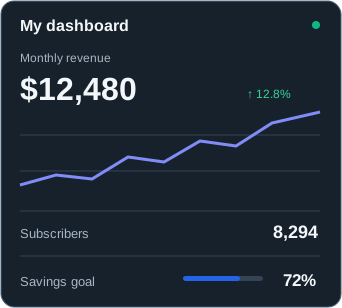
My dashboardUpdated just now
All metricsBusinessAudiencePersonal
Revenue crossed your $12,000 target.Just now
Less checking. More knowing.
Your daily pulse,
at a glance.
Open a new tab and see what changed. Keep your numbers close with the toolbar popup or side panel.
See the trend, not just the total
History and charts give every number context.
Know when something changes
Set threshold and change alerts for key metrics.
Keep your goals in sight
Track progress and export your history as CSV.
Room to grow with your workflow.
Explore all features ↗Calculated metrics
Combine your tracked numbers with formulas and preview the result.
AI assistance
Explore trends, read selected visual regions, and get daily briefings.
Your data, portable
Export metric history as CSV. Save and restore a JSON backup.
Good to know
A few things you
might be wondering.
Simple to start.
Flexible as your dashboard grows.
What can I track?
Numbers displayed on webpages, including revenue, followers, balances, and dashboard totals. You can also add manual metrics.
Can I use it with a private dashboard?
Yes. Select a number while signed in and allow access to that site. Automatic refresh depends on the page and your session.
Where are my metrics stored?
Saved metrics and history live in your browser's local extension storage. Optional AI features use the provider you enable.
Do I need to connect an API?
No. The visual picker reads the number from the page. Select it, name it, and start tracking.
Your next new tab. A better perspective.
Bring your scattered numbers together with MetricPin.
Bring your numbers together with MetricPin for desktop Chrome.
Get MetricPin for Chrome View Chrome extensionInstall from Chrome on your computer.